Free
Keep the basics forever
Free
No credit card required
Includes:
- Day & year home screen widgets
- Share snapshot
- Custom counters & countdowns
- 5-day Premium preview in-app
See your time,
not just the clock.
Start seeing time clearly.
Available on Android now. iOS coming soon. Widgets, Ember, and Wear OS Day % without opening the app.
UNTIL
Know where your time goes.
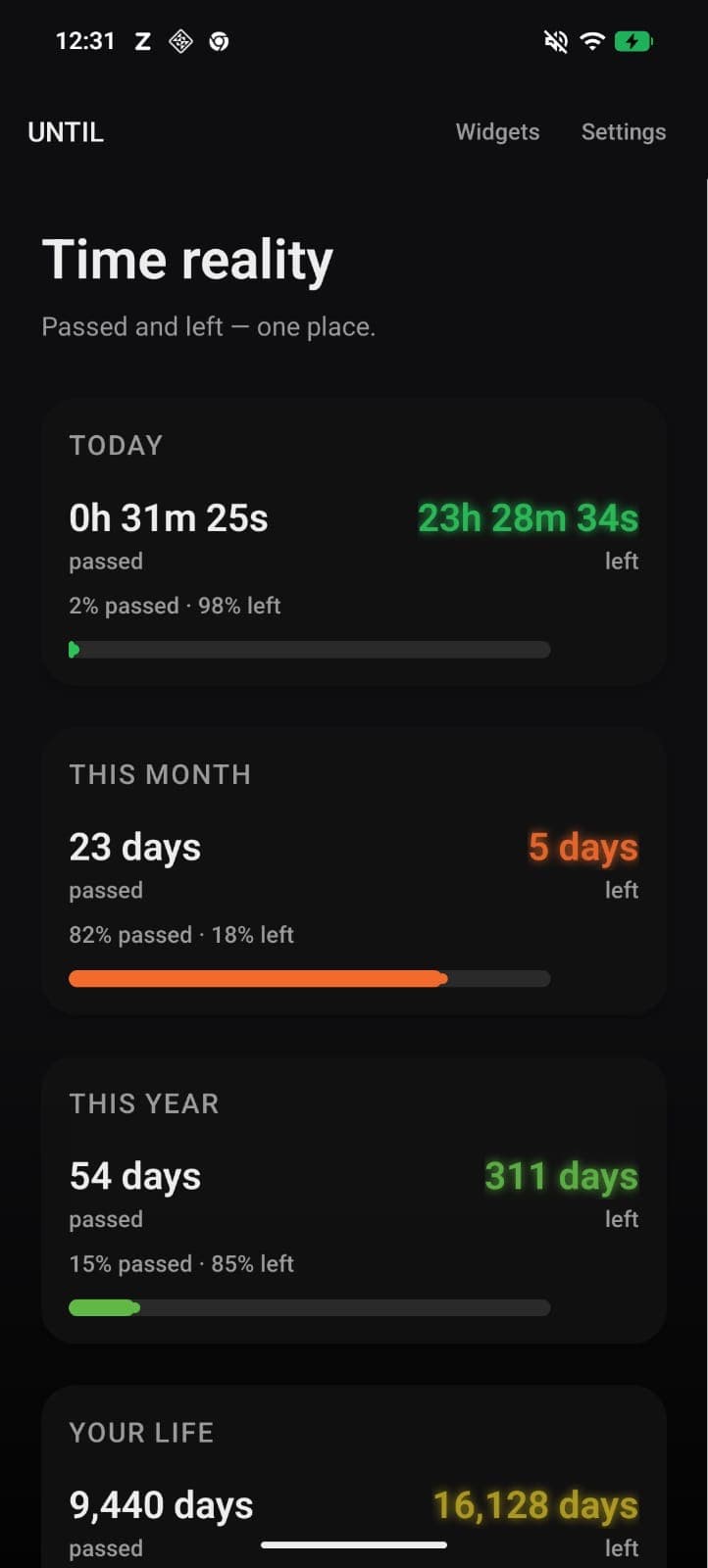
Until shows day, month, year, and life progress. Ember on widgets, Wear OS Day %, deadlines, counters, and daily tasks stay visible when you need a glance.
Android PremiumStart free. Premium: 5-day app preview, then ₹499/year, ₹1,499 lifetime, ₹99/month, or ₹249/year student on Android.
Day, month, year, and life. Always visible.
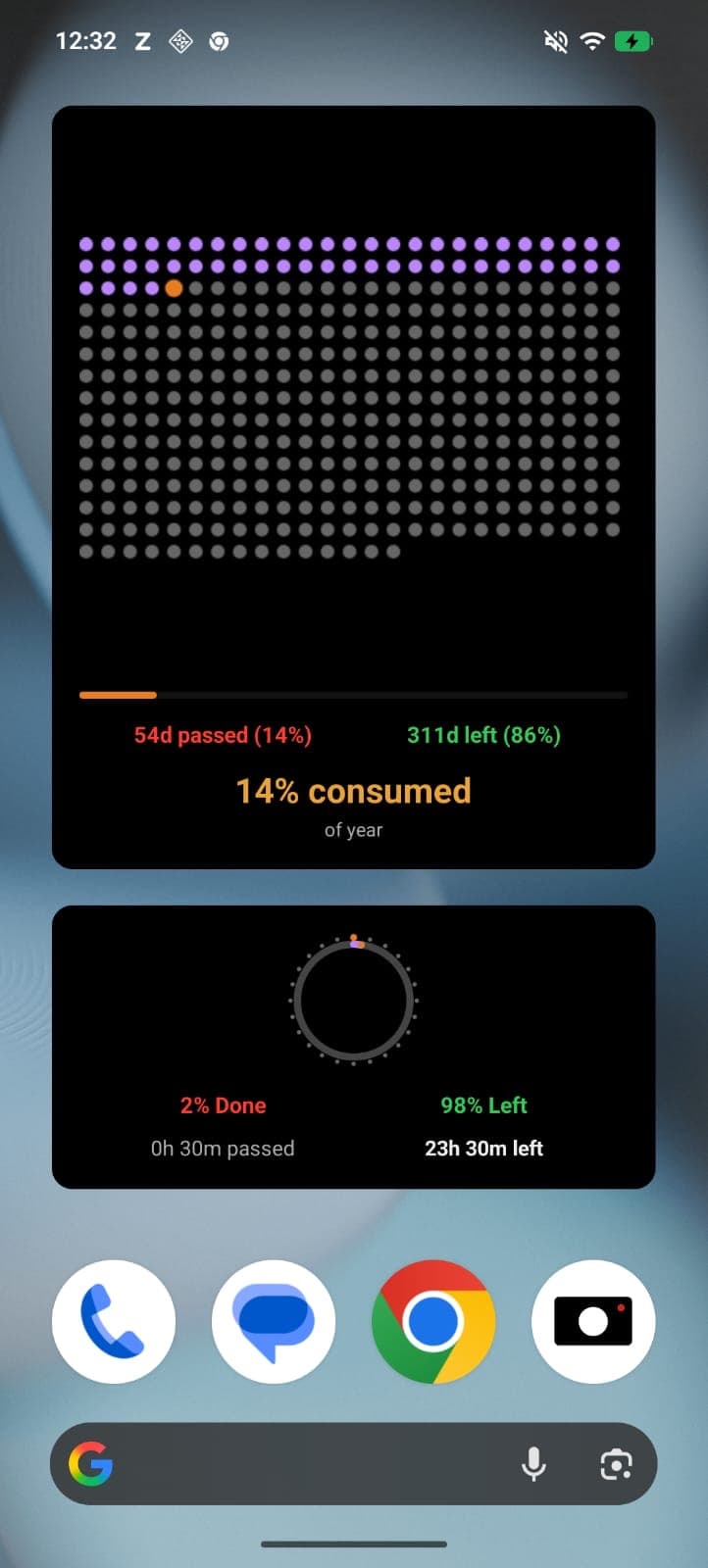
Ember, home widgets, Wear OS Day %, deadlines, tasks, and shareable snapshots. Check them without opening the app.
Swipe or drag to browse · Pauses on hover
Less time blindness
See what is left, not only what is gone.
Faster decisions
A glance at widgets helps you course-correct during the day.
Consistent action
Tasks, counters, and deadlines keep your priorities visible.
Day, month, year, and life progress. Widgets with Ember, countdowns, counters, and Wear OS Day % on Android.
Real-time progress with left vs passed view so you always know where your time is going.
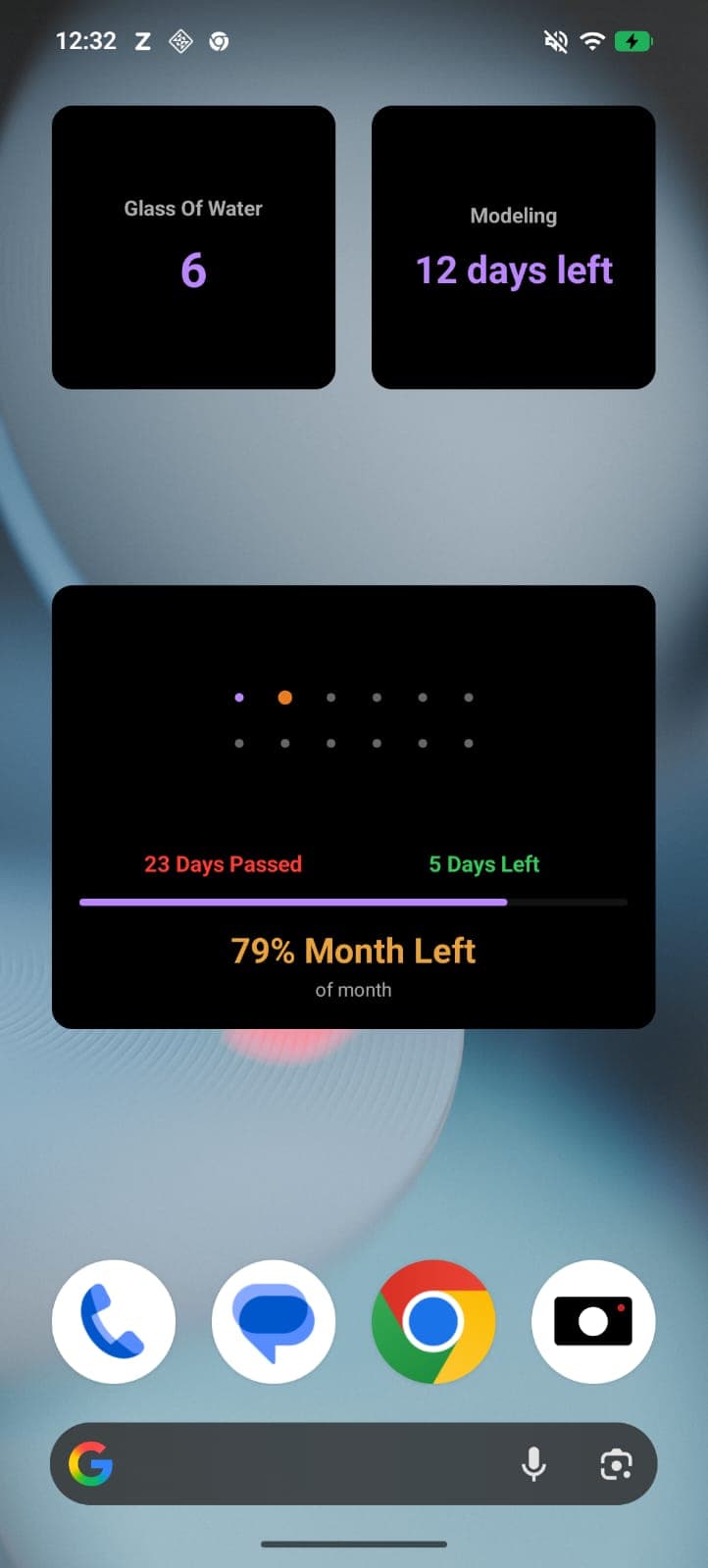
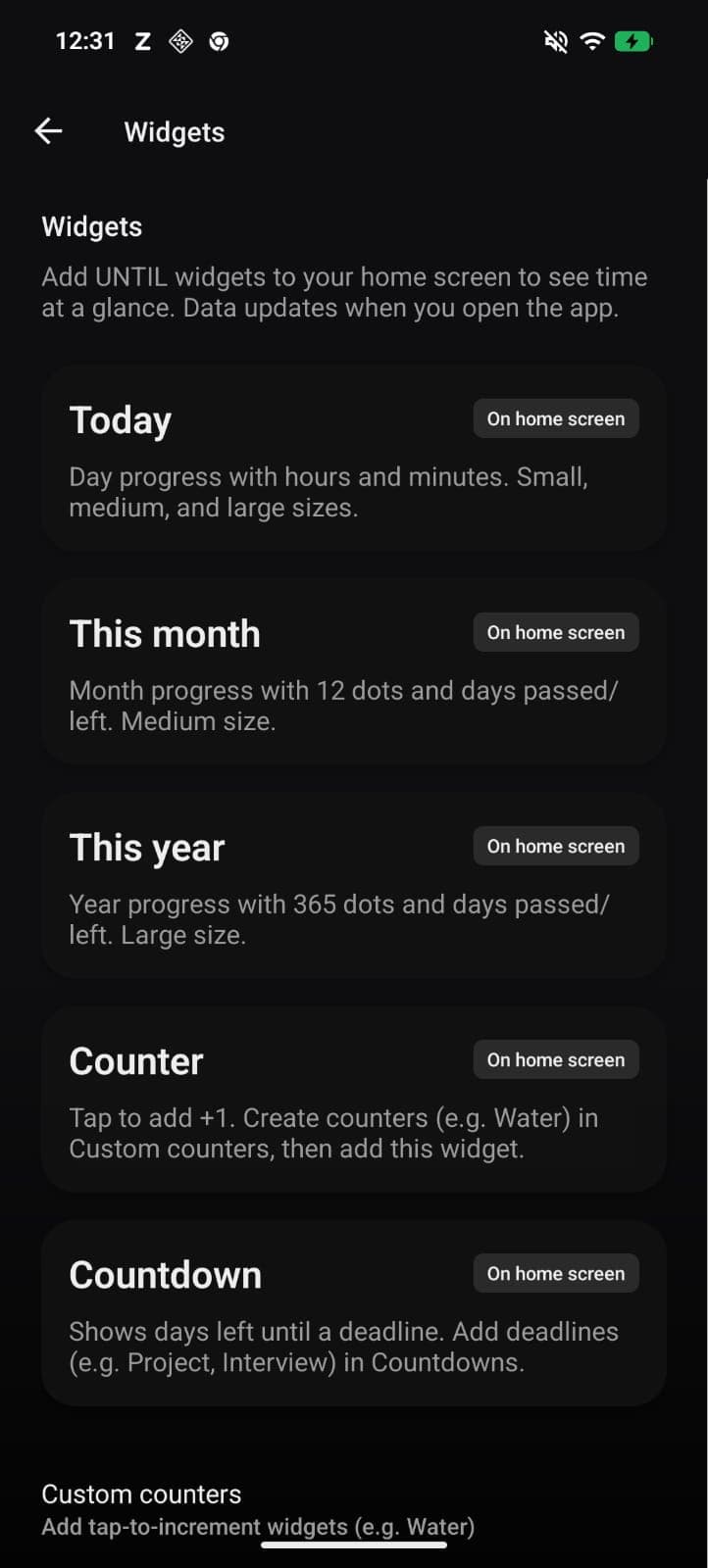
Today, month, year, life, deadlines, tasks, counters, and hour timer. Ember shows on Day and Daily Tasks widgets.
A small companion in the app and on widgets. Ember’s mood follows your day progress. Not another notification.
Glance Day % from a Wear OS tile or complication on Android watches. Synced from your phone after you open UNTIL.
Countdown to important dates, tap-to-increment custom counters, and track daily tasks with reports.
Generate a clean story-style image of your progress to post or send in one tap.
Time awareness without opening the app.
See today, this month, this year, and life progress in one place.
Widgets first (with Ember on Day and Tasks), Wear OS Day % on Android watches, Dynamic Island on iOS, and floating overlay on Android.
Deadlines, counters, and daily tasks turn awareness into something you can act on.
No ads, low friction, and focused visuals that keep attention on time.
Trusted by people who care about time
“The day progress bar made me actually aware of how I spend hours. Simple and sobering.”
“Home screen widget shows my year progress. No opening the app. Just a glance.”
“Life view hit different. One app that does time progress and countdowns well.”
Until shows how much of your day, month, year, and life has passed and how much is left. You can keep that visible on home and lock screen widgets.
Set your profile (including optional birth date), then add deadlines, custom counters, and daily tasks. Until calculates progress continuously and syncs widget data so your key numbers stay visible.
Until has a free core experience (day/year progress and sharing). Premium unlocks month/life widgets, full Life progress, lost-time alerts, widget accents, Dynamic Island on iOS, and floating overlay on Android. Start with a 5-day free app preview, then ₹499/year, ₹1,499 lifetime, ₹99/month, or ₹249/year student on Android.
You can show day, month, year, life, deadlines, daily task progress, custom counters, and hour timer state. Day and Daily Tasks widgets also show Ember, whose mood follows day progress. Widget options vary by device and platform.
Yes. On Android, UNTIL syncs Day % to Wear OS so you can add a tile or complication on a compatible watch. Open the phone app so Day data stays fresh. iOS (and Apple Watch) are coming soon.
Anyone who wants a clearer sense of remaining time without another noisy productivity app. Students, creators, professionals, and anyone who likes seeing progress at a glance.
Download on Google Play, open the app, and set up one thing first (a deadline, task list, or counter). Then add an Until widget so the app stays useful even when closed.
5-day free Premium app preview (no Google Play charge)
Prices shown in INR. Google Play may show regional pricing.
Keep the basics forever
Free
No credit card required
Includes:
Flexible Premium
₹99/mo.
Cancel anytime in Google Play
Everything in Free, plus:
Best value for Premium
₹499/yr.
Less than ₹1.37/day on yearly · save 58% vs monthly
Everything in Monthly:
Pay once, keep Premium
₹1,499
One-time · no renewal
Everything in Yearly, plus:
Available on Android now. iOS coming soon.
Get the app